


 This notebook is Part 2 of the dataset enrichment notebook series where we utilize various zero-shot models to enrich datasets.
- Part 1 - Dataset Enrichment with Zero-Shot Classification Models
- Part 2 - Dataset Enrichment with Zero-Shot Detection Models
- Part 3 - Dataset Enrichment with Zero-Shot Segmentation Models
👍 Purpose In this notebook, we show an end-to-end example of how you can enrich the metadata of your visual using open-source zero-shot models such Grounding DINO using the output we obtained from Part 1. By the end of the notebook, you’ll learn how to:
- Install and load the Grounding DINO in fastdup.
- Enrich your dataset using bounding boxes and labels generated by the Grounding DINO model.
- Run inference using SAM on a single iamge.
- Specify custom prompt to search for object of interest in your dataset.
- Export the enriched dataset into COCO
.jsonformat.
Installation
First, let’s install the necessary packages:- fastdup - To analyze issues in the dataset.
- MMEngine, MMDetection, groundingdino-py - To use the Grounding DINO and MMDetection model.
- gdown - To download demo data hosted on Google Drive.
🚧 CUDA Runtime fastdup runs perfectly on CPUs, but larger models like Grounding DINO runs much slower on CPU compared to GPU. This codes in this notebook can be run on CPU or GPU. But, we highly recommend running in CUDA-enabled environment to reduce the run time. Running this notebook in Google Colab or Kaggle is a good start!
Download Dataset
Download the coco-minitrain dataset - A curated mini-training set consisting of 20% of COCO 2017 training dataset. Thecoco-minitrain consists of 25,000 images and annotations.
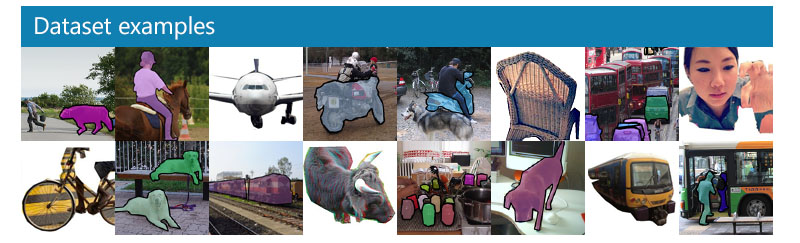 First, let’s load the dataset from the
 coco-minitrain dataset.
Zero-Shot Detection with Grounding DINO
Apart from zero-shot recognition models, fastdup also supports zero-shot detection models like Grounding DINO (and more to come). Grounding DINO is a powerful open-set zero-shot detection model. It accepts image-text pairs as inputs and outputs a bounding box.1. Inference on a bulk of images
In Part 1 of the enrichment notebook series, we utilized zero-shot image tagging models such as Recognize Anything Model and ran an inference over the images in our dataset. We ended up with a DataFrame consisting offilename and ram_tags column as follows.
If you’d like to reproduce the above DataFrame, Part 1 notebook details the code you need to run.
We can now use the image tags from the above DataFrame in combination with Grounding DINO to further enrich the dataset with bounding boxes.
To run the enrichment on a DataFrame, use the fd.enrich method and specify model='grounding-dino'. By default fastdup loads the smaller variant (Swin-T) backbone for enrichment.
Also specify the DataFrame to run the enrichment on and the name of the column as the input to the Grounding DINO model. In this example, we take the text prompt from the ram_tags column which we have computed earlier.
📘 More onOnce, done you’ll notice that 3 new columns are appended into the DataFrame namely -fd.enrichEnriches an inputDataFrameby applying a specified model to perform a specific task. Currently supports the following parameters:
grounding_dino_bboxes, grounding_dino_scores, and grounding_dino_labels.
Now let’s plot the results of the enrichment using the plot_annotationsfunction.
Search for Specific Objects with Custom Text Prompt
Let’s suppose you’d like to search for specific objects in your dataset, you can create a column in the DataFrame specifying the objects of interest and run the.enrich method.
Let’s create a column in our DataFrame and name it custom_prompt.
2. Inference on a single image
fastdup provides an easy way to load the Grounding DINO model and run an inference. Let’s suppose we have the following image and would like to run an inference with the Grounding DINO model.
📘 Note
Note: Text prompts must be separated with " . ".
By default, fastdup uses the smaller variant of Grounding DINO (Swin-T backbone).
The results variable contains a dict with labels, scores and bounding boxes.
annotate_image convenience function.
GroundingDINO contructor.
Convert Annotations to COCO Format
Once the enrichment is complete, you can also conveniently export the DataFrame into the COCO .json annotation format. For now, only the bounding boxes and labels are exported. Masks will be added in a future release.Wrap Up
In this tutorial, we showed how you can run zero-shot image detection models to enrich your dataset. This notebook is Part 2 of the dataset enrichment notebook series where we utilize various zero-shot models to enrich datasets.- Part 1 - Dataset Enrichment with Zero-Shot Classification Models
- Part 2 - Dataset Enrichment with Zero-Shot Detection Models
- Part 3 - Dataset Enrichment with Zero-Shot Segmentation Models
👍 Next Up Try out the Google Colab and Kaggle notebook to reproduce this example. Also, check out Part 3 of the series where we explore how to generate bounding boxes from the tags using zero-shot detection models like Grounding DINO. See you there!Questions about this tutorial? Reach out to us on our Slack channel!
VL Profiler - A faster and easier way to diagnose and visualize dataset issues
The team behind fastdup also recently launched VL Profiler, a no-code cloud-based platform that lets you leverage fastdup in the browser. VL Profiler lets you find:- Duplicates/near-duplicates.
- Outliers.
- Mislabels.
- Non-useful images.
👍 Free Usage Use VL Profiler for free to analyze issues on your dataset with up to 1,000,000 images. Get started for free.Not convinced yet? Interact with a collection of datasets like ImageNet-21K, COCO, and DeepFashion here. No sign-ups needed.